

New · Chrome extension
Dealboard, right inside Gmail.
Reply with your email templates in one click, and see the deal or lead behind every email — matched automatically, fully editable, without leaving your inbox.
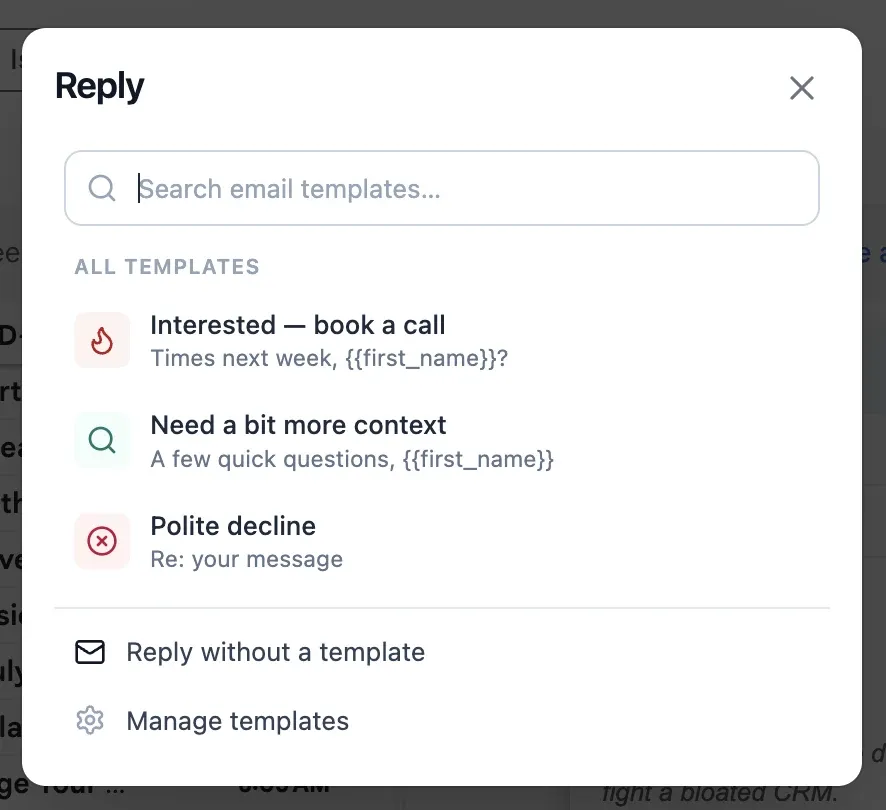
Your templates, one click from any reply.
- A Templates button appears in Gmail's compose toolbar.
- One click opens your Dealboard templates — most-used first, with search.
- Pick one and it drops in with the recipient's name and company already filled.
- Anything we can't fill is marked LOUD (
FIRST_NAME) so a half-merged email never slips out. - Every use is counted, so your best templates float to the top — in Gmail and in Dealboard.

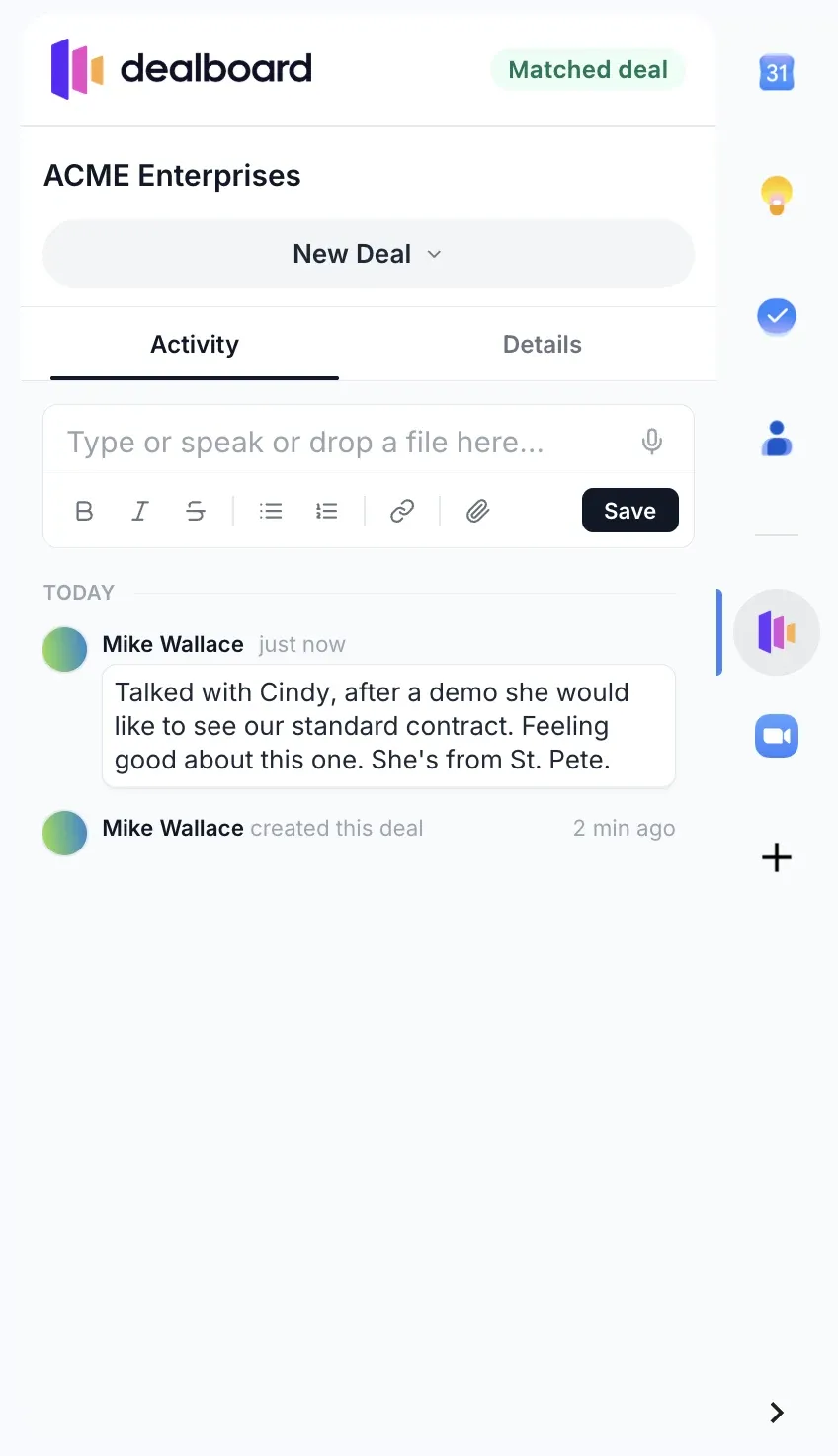
The deal behind every email, in the sidebar.
- Open an email and the sidebar shows the matching deal or lead — by the sender's address, with a company-domain fallback.
- It's the real Dealboard, not a summary: read the activity, edit fields, change the stage, add a note.
- Close a deal from your inbox after a good call. One click opens it fully in Dealboard.
Private by design.
No Google sign-in
The extension never calls Google's APIs and asks for no Google account permissions. It only runs on mail.google.com.
Your key stays on your device
You connect with a Dealboard API key, stored locally in Chrome. It's sent only to Dealboard's own API — it never enters the Gmail page.
A session only Gmail can see
The sidebar signs in with a partitioned session that exists only inside Gmail. Your normal browsing and Dealboard session are untouched.
Set up in two minutes.
Install from the Chrome Web Store, then connect it to your Dealboard workspace.
- 1 Add it to Chrome Click “Add to Chrome” on the Chrome Web Store listing, then confirm. It updates itself from then on.
- 2 Connect your workspace In Dealboard: Settings → API keys → Create key. Click the Dealboard icon in Chrome's toolbar and paste it. Once.
- 3 Open Gmail Hit Reply on any email — the Templates button is in the compose toolbar. Open a thread from a known contact and the deal appears in the sidebar.
Requires a Dealboard account — start free. Questions? support@getdealboard.com