

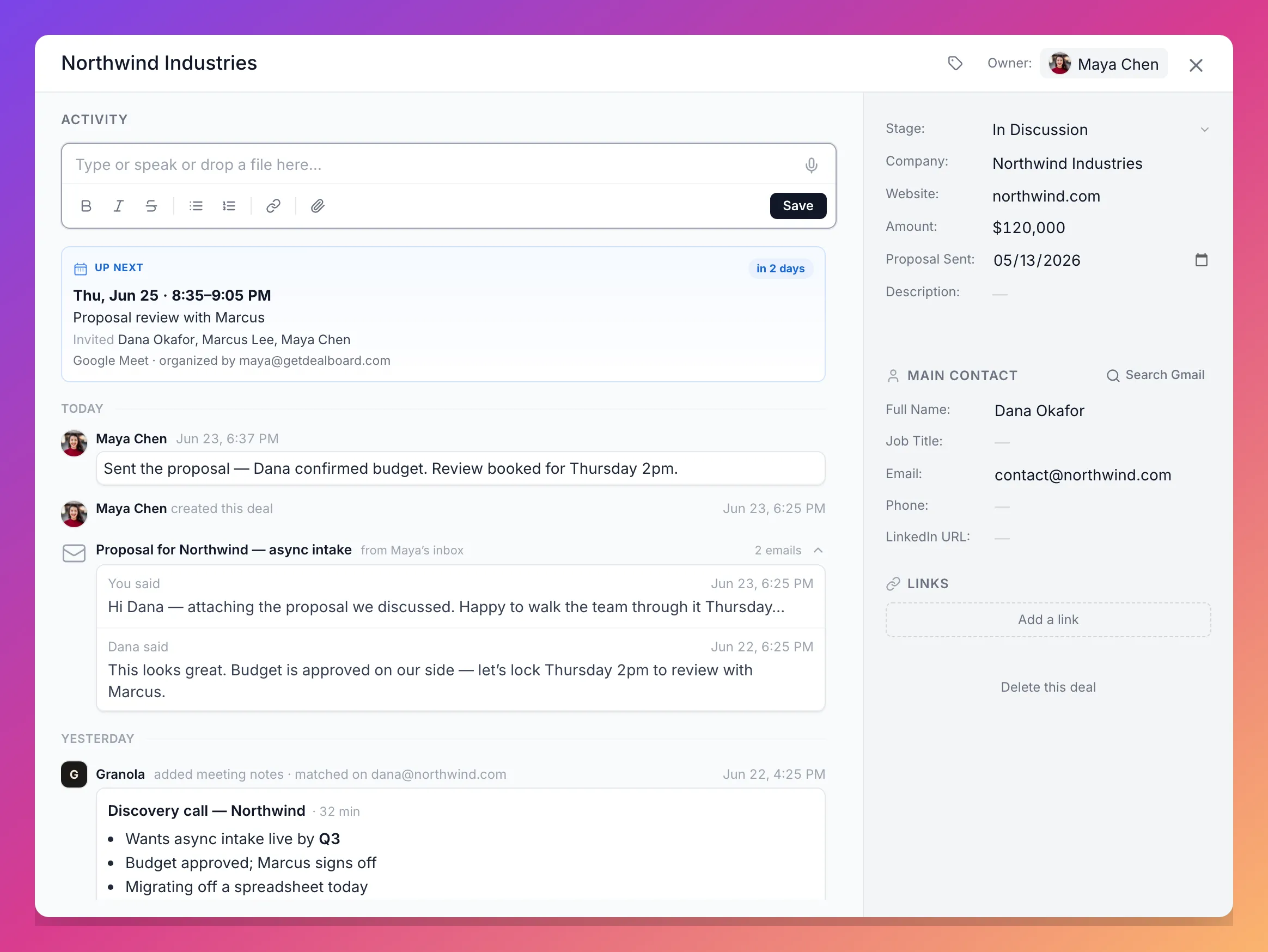
Your Gmail and Calendar, on the board.
Connect once — read-only — and every email and meeting lands on the right deal and lead automatically. The reason most trackers die is that nobody updates them. This one updates itself.
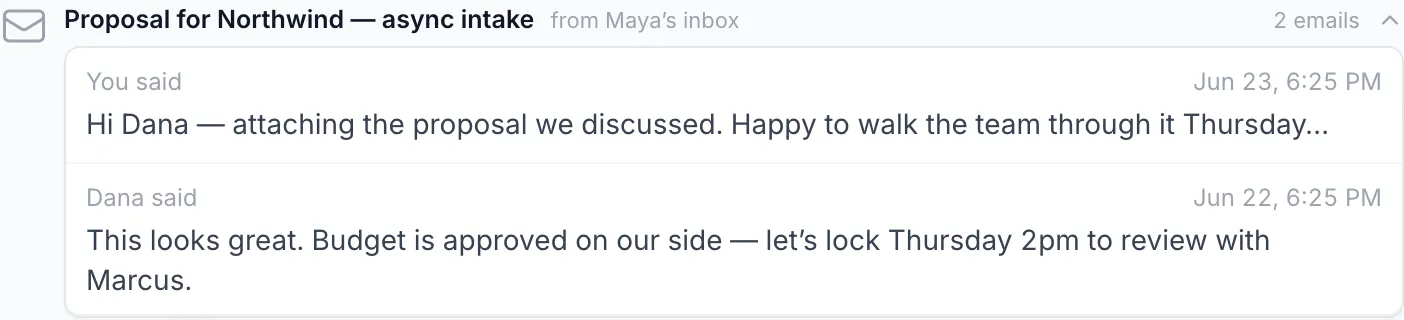
Every conversation, in context.
The latest email shows right on the deal — subject and preview, never the full message. Your leads inbox shows at a glance which leads are waiting on you, and which are waiting on them.
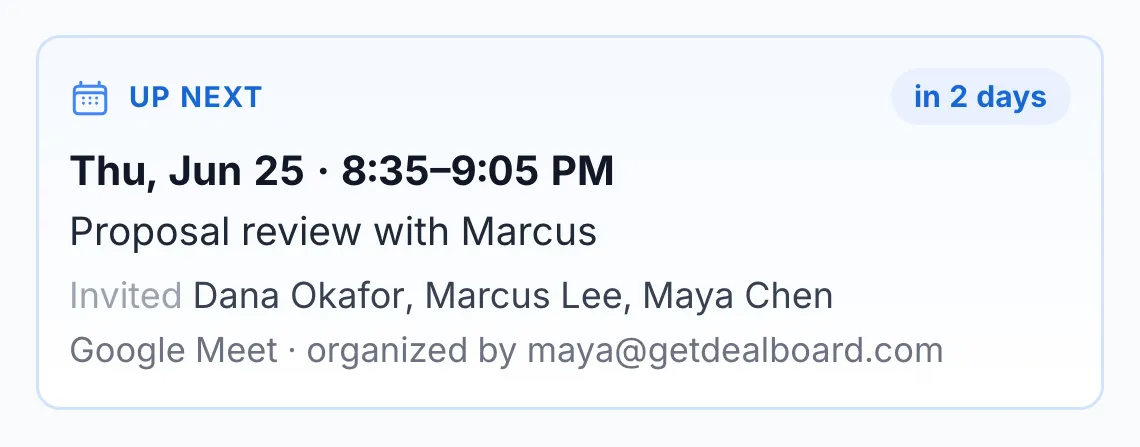
Never walk into a meeting cold.
Up-next and past meetings surface on the deal and lead automatically — who's invited, when, and on what platform. Open the deal before the call and the whole story is right there.
Set up in two clicks.
Connect in Settings → Integrations
Pick which mailboxes to sync. That's the whole setup — no plugin, no extension, no IT project.
Dealboard matches, quietly
Emails and meetings are matched to your deals and leads by the contact's email address, and refreshed automatically in the background.
The board fills itself in
The latest email, the next meeting, and who's-waiting-on-whom appear on the right records — without anyone logging a thing.
Read-only, on purpose.
Dealboard is a lens on your pipeline — not another inbox, and not a robot sending email on your behalf.
- Read-only by design — Dealboard never sends, replies, moves, or deletes anything
- Email cards carry the subject and a short preview, never the full message body
- Strictly scoped to your workspace: your mailboxes can only ever touch your own deals and leads
- Disconnect anytime from Settings → Integrations
Stop being the sync.
Start free, connect Gmail and Calendar, and let the board keep itself honest.